
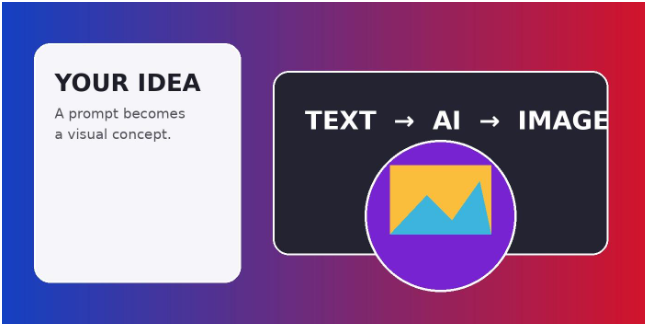
Creating a compelling visual has traditionally meant choosing between several time-consuming options: organizing a photoshoot, searching stock libraries, learning complex design software, or hiring a professional designer. Generative artificial intelligence is changing that equation. Instead of beginning with a blank canvas, creators can begin with a sentence and use AI to explore visual ideas in seconds.
Picsart’s AI Image Generator is built around that idea: describe what you want, choose the creative direction, and generate a visual that can then be refined inside the wider Picsart editing workflow.
From a Blank Canvas to a Starting Point
The value of text-to-image generation is not simply speed. It gives creators a starting point. A marketer can describe a campaign concept before a production budget is approved. A social media manager can test several visual directions before settling on one. An entrepreneur can visualize a product concept for a presentation. An artist can experiment with environments, moods, compositions, and styles without drawing every variation by hand.
Picsart’s current AI Image Generator brings multiple AI models together in one workspace. The platform says users can access 59 AI image models, with models tuned for different goals such as photorealism, illustration, typography, and speed. This matters because the same prompt can produce noticeably different results depending on the model used.
A Prompt Can Become Much More Than a Picture
A useful prompt can describe the subject, setting, lighting, mood, composition, and visual style. For example: “A modern coffee shop overlooking a rainy city at night, warm interior lighting, cinematic photography, wide composition.” A description like this gives the generator several creative signals rather than relying on a single keyword.
Picsart also provides generation presets and style filters, allowing users to change the visual direction without rebuilding the entire concept from scratch. Its current product page lists 100 generation presets and 48 style filters, covering directions ranging from photorealistic imagery to more stylized treatments.
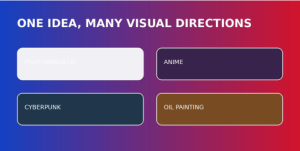
Illustrative visual: the same concept can be explored through different stylistic directions.
Why Model Choice Matters
Not every AI model is designed to do exactly the same thing. Some models are optimized for detailed realistic imagery, while others are particularly useful for illustrations, graphic compositions, or text inside images. Picsart highlights model-specific strengths on its AI Image Generator page, including options such as Imagen 4.0 for photorealistic detail and Ideogram V3 for readable text in graphics.
For creators, this means experimentation becomes part of the process. Instead of spending hours trying to force one tool to produce every kind of image, users can compare outputs and select the model that fits the job. That can be especially useful for agencies and marketing teams that need multiple visual formats from the same campaign concept.
From Generation to Editing
Generating an image is rarely the final step. A finished marketing asset may need a different background, a sharper subject, new colors, brand typography, a logo, or additional design elements. This is where Picsart’s broader editing environment becomes important.
The platform connects AI generation with editing tools such as AI Background, AI Replace, AI Image Enhancer, and AI Photo Editor. Instead of exporting a generated image and moving between several applications, creators can continue refining it within the same ecosystem. The workflow can therefore move from concept to generated image to edited and branded asset with fewer interruptions.
A Practical Workflow for Content Teams
For a content team, a simple workflow might begin with a campaign brief. The team identifies the subject and desired message, writes several prompts, and generates multiple concepts. After comparing the results, the strongest direction can be refined through editing, typography, brand elements, and layout.
This approach is particularly useful when teams need to produce variations quickly. One campaign may require a social post, an ad creative, a blog image, and a presentation graphic. Rather than treating each asset as a completely separate design project, AI generation can provide a common visual starting point that is then adapted for each format.
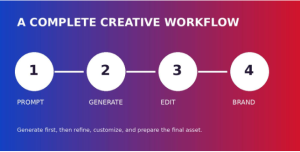
Illustrative visual: a streamlined path from prompt to finished branded content.
Useful for Social Media, Marketing, and More
Social media is one of the clearest applications. Creators need a steady stream of fresh visuals, but producing original artwork for every post can be difficult. AI-generated imagery can help teams brainstorm concepts, create campaign variations, and build visual assets around specific themes.
The use cases extend beyond social platforms. Picsart lists marketing and advertising, business, art and illustration, print, and merchandise among the types of projects supported by its AI Image Generator. Its tools can also support creators who need high-resolution imagery, with the current product page advertising output of up to 8K.
Making Creativity More Accessible
One of the broader implications of AI image generation is accessibility. Someone may have a strong visual idea without knowing how to draw, photograph a scene, or operate advanced design software. A text-to-image tool lowers the technical barrier between the idea and the first draft.
That does not mean traditional creative skills become irrelevant. In many cases, the most valuable skill shifts toward knowing what to ask for, evaluating the results, and knowing how to refine them. Composition, branding, visual storytelling, editing, and judgment still matter. AI can accelerate the production of options, but people remain responsible for choosing the direction that communicates the intended message.
Considerations for Commercial Use
Businesses should also pay attention to usage rights when incorporating AI-generated imagery into commercial projects. Picsart notes that usage rights can depend on the specific AI model and the user’s plan. Creators should therefore review the applicable licensing information for the model and plan they are using, particularly when an image will be used in advertising, merchandise, or other commercial work.
The Next Step in Visual Creation
AI image generation is becoming less about producing a single image and more about building a flexible creative workflow. A creator can start with a sentence, explore different models, compare styles, select a direction, edit the result, add branding, and prepare the final asset for publication.
That shift can change how creative teams approach the earliest stage of a project. Instead of asking, “How can we make this image?” the starting question becomes, “What could this idea look like?”
For creators, marketers, small businesses, and anyone who works with visual content, that ability to move from words to visual concepts quickly can be a powerful addition to the creative toolkit. Picsart’s AI Image Generator puts that process into a familiar editing environment, making experimentation accessible while leaving room for human creativity and refinement.
Explore Picsart’s AI Image Generator: https://picsart.com/ai-image-generator/