

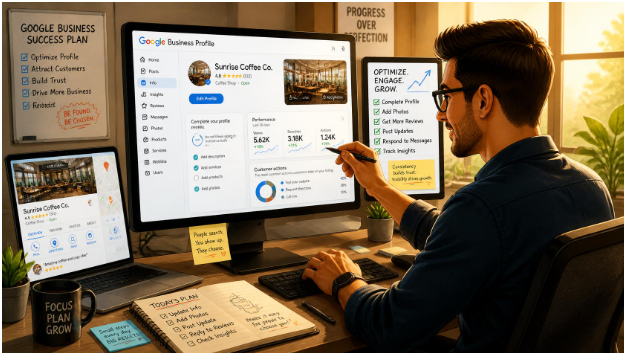
It’s 9pm in Subang Jaya and someone types “dentist near me” into their phone. Three clinics appear on the map. One has forty photos and clear opening hours. One has a single blurry picture and a phone number that rings out. The third is yours, and it isn’t in the top three at all.
That gap is what Google Business Profile optimisation is meant to close. This guide covers what it involves, how Google decides who shows up, and what to fix first if you run a local business in Malaysia.
What Is Google Business Profile Optimisation?
Google Business Profile optimisation is the process of completing and improving your free Google listing so it appears more often, and more convincingly, in Google Search and Google Maps. It covers your categories, contact details, description, photos, reviews and regular updates, all kept accurate and consistent.
Your profile is the panel that appears when someone searches for your business name or for a service near them. For many customers it’s the first thing they see, often before your website. People decide whether to call, ask for directions or move on within seconds, so it needs to answer their questions at a glance.
How Google Decides Which Businesses to Show
Google has said publicly that local results depend mainly on three things:
- Relevance: how well your profile matches what the person searched for.
- Distance: how close you are to the searcher, or to the location they named.
- Prominence: how well known and trusted you appear, based on reviews, links, mentions and overall web presence.
You can’t change distance, since your shop is where it is. You have a lot of control over the other two. A complete, accurate profile builds relevance. A steady stream of genuine reviews and consistent details across the web builds prominence.
How to Optimise Your Google Business Profile, Step by Step
1. Claim and verify the profile
If you haven’t verified your listing, start there. Verification gives you control over the information and unlocks most features. Google offers different verification options depending on the business, such as video, phone or postcard, so follow whatever it presents for your account.
2. Pick the right primary category
Your primary category is one of the strongest signals you give Google about what you do. Be specific. “Dental clinic” beats a broad “Health” label, and “Chinese restaurant” does more work than “Restaurant”. Add secondary categories only for services you genuinely offer.
3. Keep your name, address and phone number consistent
Use your real business name exactly as it appears on your signage, website and invoices. Stuffing keywords into the name (“Best Cheap Aircond Service KL”) may get your profile suspended. Make sure the address and phone number match what’s on your website and in directories like Yellow Pages Malaysia or industry listings.
4. Write a description that sounds like you
You get up to 750 characters, and only the first part is visible before the “more” prompt. Say what you do, who you serve and where, in plain language. Skip superlatives and phone numbers. If your customers use a mix of English, Malay and Chinese terms for your service, work the natural ones in.
5. List your services and products
Fill in the services or products section properly, with short, honest descriptions. This helps Google match you to specific searches, and it saves customers a phone call asking what you offer.
6. Add real photos, and keep adding them
Use your own photos: the shopfront (so people can spot it from the road), the interior, your team, finished work and, for restaurants, the actual dishes. Stock images look fake and don’t help anyone. Adding a few new photos each month signals an active, well-run business.
7. Set accurate hours, including holidays
Wrong opening hours are one of the fastest ways to lose a customer’s trust. Malaysian businesses have more to track than most: Hari Raya, Chinese New Year, Deepavali and state-specific public holidays. Use the special hours feature so people don’t arrive at a locked door.
8. Collect and answer reviews
Reviews influence both rankings and decisions. Ask happy customers at the right moment, for example right after a successful service, and make it easy by sharing your review link. Don’t offer discounts or gifts in exchange for reviews, as that goes against Google’s policies. Reply to every review, good or bad, politely and specifically.
9. Post updates
Google Business Profile lets you publish updates about offers, events and news. They won’t transform your rankings overnight, but they give visitors a reason to trust that the profile is current.
Common Mistakes That Hold Profiles Back
Most weak profiles share the same handful of problems:
- Choosing a vague primary category, or ten unrelated ones
- Leaving the description blank or copying it word for word from the website
- Using one cover photo and never touching it again
- Ignoring negative reviews, which signals that nobody’s paying attention
- Letting old addresses or phone numbers linger after a move
- Creating duplicate listings for the same location
One more point for service-area businesses such as plumbers, mobile mechanics and home cleaners. If customers don’t visit you at a shopfront, set a service area and hide your address rather than publishing your home. It’s safer and it follows Google’s guidelines.
How to Tell If Your Optimisation Is Working
Your profile’s performance section shows how many people found you through Search and Maps, and what they did next: called, requested directions or visited your website. Look at trends over a few months rather than day to day. If views rise but calls don’t, the problem is usually the content, such as thin photos, unclear services or weak reviews. If neither moves, check that your category and details are right.
A simple habit helps. Once a month, search for your main service plus your area on your phone, as a customer would, and see where you appear and what shows up beside you.
The website and the business profile can support the same customer journey, but their results need separate reports.
Rankpage Case Study: How Rankpage Built a Kindergarten’s Local Website Journey
For a kindergarten client, Rankpage planned location and programme pages for parents comparing providers, supported by guides answering early-learning questions. Local search terms were mapped to relevant pages, and guides were linked to suitable service pages.
Rankpage also built clear enquiry or visit-booking routes and tested forms on mobile. That gives parents a way to move from finding useful information to expressing interest in the school.
Ahrefs recorded a broad kindergarten query moving from position 11 on 15 July to 8 on 18 October 2026 for a location-focused page. This is progress in website search visibility; Business Profile interactions and admissions require their own records.
Figure: Two recorded positions for a broad kindergarten query on a location page.
Source: Rankpage client evidence: anonymised Ahrefs Malaysia keyword export collected 21 October 2026; no GBP performance result claimed.
Do It Yourself or Get Help?
For a single-location business, the basics above are very doable in-house. Set aside an afternoon to get everything accurate, then give it twenty minutes a week for photos, reviews and updates.
Things get harder with multiple branches, strong local competition or a profile that has been suspended or duplicated. At that point, many businesses bring in specialists. Rankpage’s local SEO service covers Google Business Profile optimisation alongside related work like local keyword research and citation clean-up, which is useful because your profile performs best when your listings elsewhere tell the same story.
FAQs
Is Google Business Profile free?
Yes. Creating and managing a profile costs nothing. You pay only if you hire someone to manage it for you, or if you run Google Ads separately.
How long does Google Business Profile optimisation take to work?
It varies with competition, your starting point and your industry. Fixing errors can help quickly, but rankings and review growth build gradually. Judge progress over a few months, and be wary of anyone promising instant first-place results.
Can I rank on Google Maps without a website?
Yes, a profile can appear without one. But a website gives Google more information about your business and gives customers somewhere to learn more, so most businesses benefit from having both.
How many categories should I add?
Choose one accurate primary category, then add only the secondary categories that describe services you really provide. A handful of relevant categories works better than a long, unfocused list.
Do reviews affect Google Maps ranking?
Reviews are part of how Google judges prominence, and they strongly affect whether a customer picks you. Quantity, recency, quality and your replies all matter, so aim for a steady flow of genuine feedback.
What should I do about a fake or unfair review?
Reply calmly and factually first. If the review breaks Google’s content policies, for example it’s spam or from someone who was never a customer, you can flag it for removal. Genuine criticism should be answered, not reported.
Start With the Basics, Then Keep at It
Google Business Profile optimization isn’t a one-off task. You get the foundations right (category, details, photos, hours), then keep the profile alive with reviews, replies and fresh updates. The businesses that appear first on the map are rarely doing anything clever. They’re simply more complete, more accurate and more active than their neighbours.
If you’d like a second pair of eyes on your listing, or you’re managing several outlets and need a structured approach, the team at Rankpage Sdn Bhd is a reasonable place to start the conversation.