
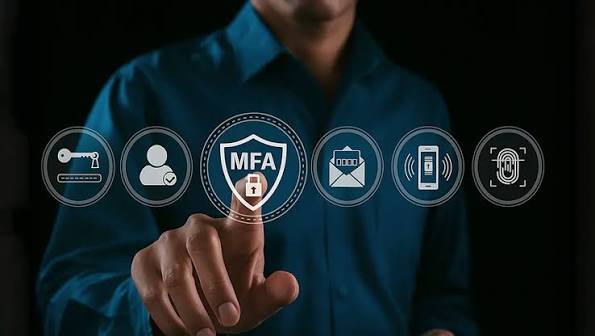
Multi-factor authentication has moved from an optional security feature to a baseline expectation for remote access used in business environments. Password-only access is increasingly exposed to credential theft, phishing, password reuse, and brute-force attacks, making a second verification factor an important safeguard before users are allowed to reach remote systems.
The five options below approach MFA from different angles. Some provide remote access directly, while others operate primarily at the identity layer and can be used alongside remote access tools. Organizations need to decide whether they want authentication controls built into the remote access platform itself or managed through a broader identity system.
Splashtop
Splashtop provides a remote access solution with MFA within its administrative controls, allowing organizations to require an additional authentication factor before users establish remote sessions.
The platform supports remote access across Windows, Mac, Linux, iOS, and Android environments, which can help organizations apply a more consistent authentication approach across varied devices. For IT teams, the value of MFA is not simply that it adds another login step. It reduces the likelihood that a stolen password by itself is enough to gain access to a managed computer.
Splashtop also combines authentication controls with administrative visibility around remote sessions. That gives IT teams a clearer record of who connected and when, which can support internal oversight and audit requirements.
For organizations evaluating remote access specifically, this integrated model keeps authentication and session activity within the same operational environment.
Microsoft Entra ID
Microsoft Entra ID approaches MFA from the identity layer rather than functioning as a dedicated remote access product. Organizations can use it to define authentication and conditional access policies that determine when users need an additional factor before reaching applications or services.
That model can be useful when an organization wants identity policy centralized across many systems. Instead of configuring separate authentication logic for each application, IT teams can apply broader access requirements based on factors such as user identity, device status, location, or perceived risk.
For remote access environments that integrate with the identity service, this can create a consistent authentication layer before access is granted. The benefit is strongest when the organization already relies heavily on the same identity ecosystem.
The tradeoff is that the identity platform itself does not replace the remote access software. Organizations still need a compatible remote access product, and the experience depends on how well those two layers integrate.
Duo
Duo is a multi-factor authentication policy enforcement platform, designed primarily to sit in front of other applications and systems rather than to function as a remote access tool by itself.
It supports multiple authentication methods, including push-based approvals, passcodes, and security keys. This gives organizations flexibility in how they implement a second factor and allows stronger methods to be used for higher-risk access scenarios.
For remote access, Duo is typically valuable as an authentication layer that protects another system. An organization may use it alongside an existing remote access or network access platform so that users must satisfy MFA before the underlying connection is permitted.
This layered approach separates identity verification from the remote connection itself. That can appeal to teams that want one authentication policy applied across several applications instead of managing MFA independently inside each product.
The tradeoff is additional integration work. IT teams need to confirm that the remote access system and authentication platform support the required connection method and that account provisioning, policy enforcement, and recovery processes are coordinated correctly.
Okta
Operating as an identity and access management platform, Okta includes multi-factor authentication within a broader set of identity, authentication, and single sign-on capabilities.
Like other identity-focused platforms, it generally sits in front of the applications and systems users need to reach. A remote access tool that integrates with the platform can rely on that identity layer to authenticate users before granting access.
This approach can simplify authentication policy across a large application environment. IT teams can manage identity requirements centrally rather than maintaining unrelated login policies for every individual service. MFA can then become part of a broader access strategy.
For remote access buyers, the key question is integration. The identity layer may provide strong authentication, but the remote access product still determines session performance, device coverage, monitoring, and other connection-specific controls.
Organizations should therefore evaluate the two layers together rather than assuming that a capable identity platform automatically guarantees a complete remote access security model.
RSA SecurID
RSA SecurID has a long history in enterprise authentication and is closely associated with hardware token-based verification, although modern deployments can also use software and mobile authentication methods.
Its traditional strength is the use of an additional credential that is separate from the user’s password. That model has made it familiar in regulated environments and organizations that prefer dedicated authentication factors for higher-risk access.
The broader principle remains relevant to remote access. Requiring users to prove identity with more than one factor makes a stolen password less useful to an attacker attempting to connect to internal systems.
Organizations evaluating RSA SecurID should consider how its authentication methods fit their existing identity architecture, remote access tools, device policies, and user experience expectations. Hardware-based factors may suit some environments, while others may prioritize mobile or software-based verification.
As with the other identity-focused options in this list, the authentication layer does not replace the remote access platform itself. It strengthens the identity decision that occurs before access is granted.
The Right Choice
The right approach depends on whether the organization wants MFA built directly into a remote access platform or managed through a separate identity system.
An integrated remote access platform can reduce the number of systems involved in establishing and monitoring a session. That can be useful for organizations that want authentication, access control, and remote session administration handled within one operational workflow.
A dedicated identity platform can make more sense when the organization already has a centralized authentication strategy covering many applications. In that case, extending the same MFA policy to remote access may provide greater consistency.
Either way, buyers should evaluate more than whether a product simply claims to support MFA. The available authentication methods, enforcement options, recovery process, identity integrations, session controls, and administrative visibility all affect the resulting access model.
Frequently Asked Questions
Q. Why is multi-factor authentication necessary for remote access?
Remote access can provide direct entry to important systems, so a stolen password creates significant risk. MFA requires another verification factor, reducing the chance that compromised credentials alone can be used successfully.
Which MFA Methods Are Most Used In Remote Access Tools?
Common methods include authenticator-app passcodes, push approvals, and hardware security keys. The best choice depends on the organization’s risk level, user population, and identity infrastructure.
Does MFA drag the process of remote access login?
MFA adds an extra verification step, but modern methods can usually be completed quickly. Organizations can balance convenience and security through appropriate authentication policies and trusted-device controls where supported.