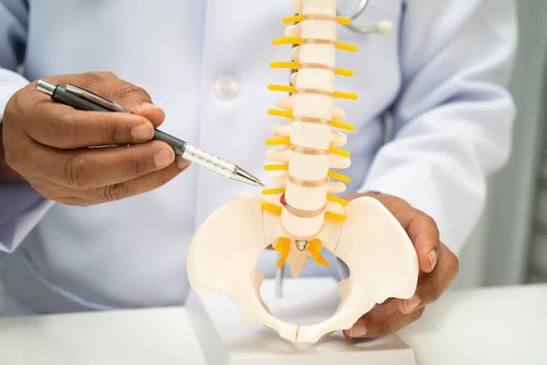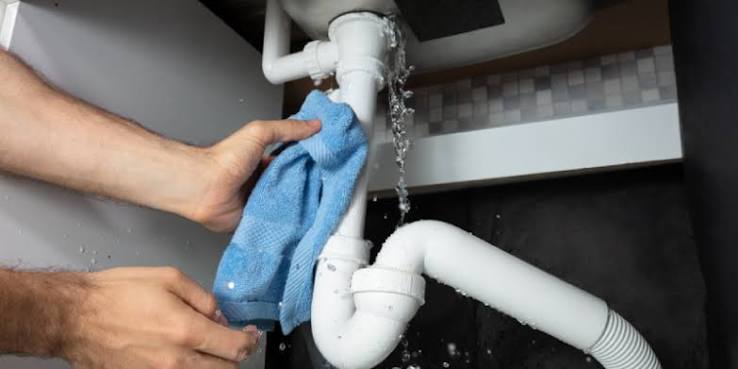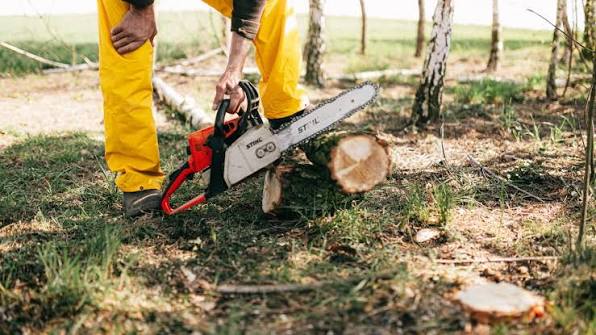


A tutorial made of still images works, but it always asks readers to do one extra job — mentally connecting the gap between step three and step four. With image to video technology, that gap doesn’t have to exist anymore. A series of instructional photos can become a short, moving sequence that shows exactly how one step flows into the next.
Dreamina, powered by its latest and most advanced video generation model, Seedance 2.5, turns static step-by-step images into motion-based tutorials that are far easier to follow than a page of numbered photos.
Why static tutorials leave room for confusion
A numbered list of photos assumes the reader can accurately imagine the motion between each frame — how much pressure to apply, how fast to move, what the transition actually looks like. That assumption doesn’t always hold, especially for physical, hands-on tasks like cooking, crafting, or assembly. Motion removes that guesswork entirely, showing the technique itself rather than just the before-and-after result.
Motion implies that a photo play cannot be motionless.
Here are some benefits of changing static educational images into an animated sequence:
- The process now becomes understandable rather than presumed from one frame to another
- Rhythm and timing are transmitted without additional textual commentaries
- The audience can observe everything in the flow and does not need to stop analyzing a still photograph.
Changing your tutorial images into video with Dreamina
Step 1: Upload your tutorial image and explain the process
Log in to Dreamina and visit the “AI Video” section. In the section, click on “Add reference image” to select an image from your tutorial and write a request about the exact movement.
For a 30-second clip, try: Using the dough and hands from the reference image, generate a 30-second tutorial video: hands rhythmically pressing and folding the dough, a light dusting of flour scattering with each fold, the camera slowly angles closer to show hand positioning and pressure in the final seconds.
Step 2: Generate the tutorial clip with Seedance 2.5
Select the Seedance 2.5 model, choose your video length, then pick an aspect ratio suited to your platform — 9:16 for TikTok or Instagram Reels, 16:9 for YouTube tutorials. Click Dreamina’s generate icon and let the technique come to life.
Step 3: Refine and export your motion-based tutorial
Use Dreamina’s editing tools to polish the clip — Upscale for clearer, more precise visual detail, generate a soundtrack for light background music or ambient sound — then export and add it to your tutorial content or course material.
Choosing which steps benefit most from motion
Not every step in a tutorial needs to be animated. The steps worth prioritizing are usually the ones hardest to explain in words alone — a specific hand motion, a folding technique, a precise angle — while simpler steps, like gathering ingredients or tools, often work fine as plain text or a single photo.
Inside Seedance 2.5: capturing precise, repeatable motion
Reading detailed hand and object interaction
Tutorials often depend on precise physical interaction, and Seedance 2.5’s ability to interpret richer references, including white model (blockout) data, helps it understand detailed movement paths and positioning more accurately than relying on a text prompt alone.
Longer clips for full multi-step sequences
Native generation supports clips up to 30 seconds, with the “Ultra-long Video Generation (beta)” mode extending that range up to 180 seconds — enough room to show several connected steps in one continuous sequence rather than isolated, disconnected clips.
Natural motion, not the “AI look”
The model has significantly reduced the artificial quality that used to make generated hand movement and object interaction look slightly off, favoring more believable, natural motion — essential for a tutorial that needs to look genuinely instructional.
Precise local editing
Local editing allows specific elements — a stray tool, an unwanted object in frame — to be removed or adjusted without regenerating the entire tutorial clip, keeping small corrections small.
Multilingual support for wider reach
With strong coverage across languages including Spanish, Indonesian, Thai, Arabic, and Japanese, tutorial creators can pair their motion-based content with captions or narration suited to a much broader audience than a single-language guide would reach.
Reducing errors through visual clarity
Written instructions are often misread or skipped entirely, especially for tasks involving specific pressure, angle, or timing. A motion-based tutorial reduces that risk considerably, since a viewer can directly compare their own technique against what’s shown on screen rather than relying on their interpretation of a written description like “gently fold” or “apply light pressure.”
Repurposing tutorial clips across formats
A single motion-based tutorial clip rarely has to serve only one purpose. The same sequence can be trimmed into a quick social teaser, embedded in a longer course video, or paired with a blog post as a supporting visual — letting one round of generation support several different pieces of content built around the same technique.
Structuring a full tutorial from multiple clips
A single animated step is useful on its own, but sequencing several clips together — each covering one distinct part of the process — can turn a full multi-step tutorial into a cohesive motion-based guide, letting a viewer follow the entire technique from start to finish without switching between static images.
Pairing motion with clear instructional text
Motion alone doesn’t replace good instruction — it strengthens it. Keeping short, clear on-screen text or captions alongside each animated step ensures viewers get both the visual technique and the specific details, like timing, temperature, or measurements, that motion by itself can’t fully convey.
Where these motion-based tutorials perform best
This format works especially well for cooking tutorials, craft and DIY guides, beauty and skincare routines, and educational course content, where showing precise technique in motion often improves comprehension far more than a static step-by-step photo sequence ever could.
Final thought
A tutorial was always trying to teach movement using stillness. With Dreamina and the technique-capturing precision behind Seedance 2.5, that movement can finally be shown directly, turning a set of step-by-step photos into a guide people can actually watch and follow along with.